Apple Calendar & Reminders
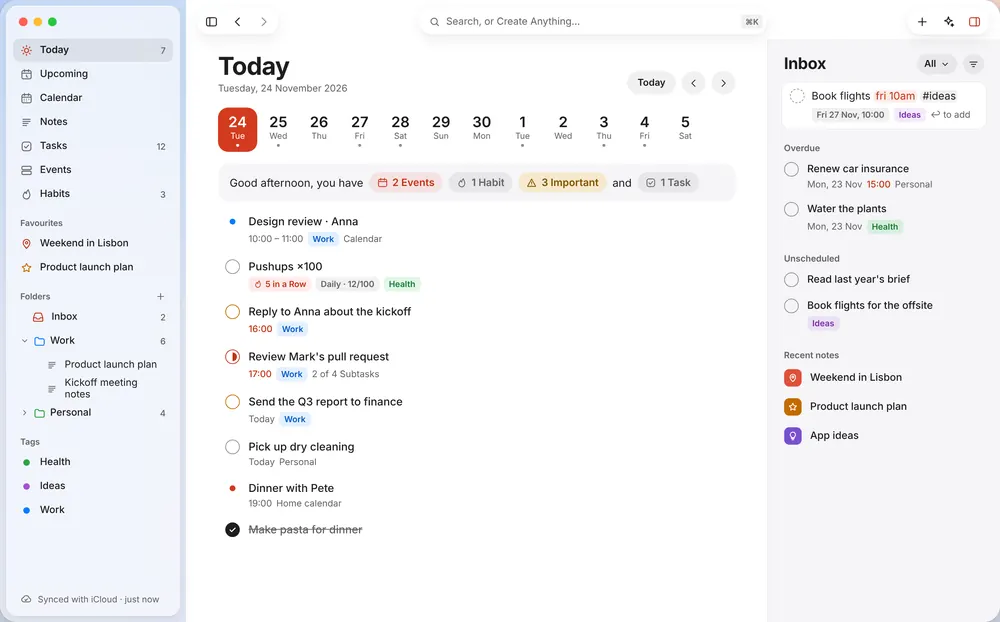
Your events and tasks come straight from Apple's apps, so every change syncs to your iPhone, iPad and Apple Watch.
Sencillo Daily Planner brings Apple Calendar, Apple Reminders and your notes together on your Mac — with natural language entry and an Apple Intelligence assistant. No accounts. No subscriptions.
macOS 26 Tahoe · Apple silicon · One-off payment · iPhone & iPad apps coming soon — included
Works with Apple CalendarApple RemindersiCloudApple IntelligenceNotifications
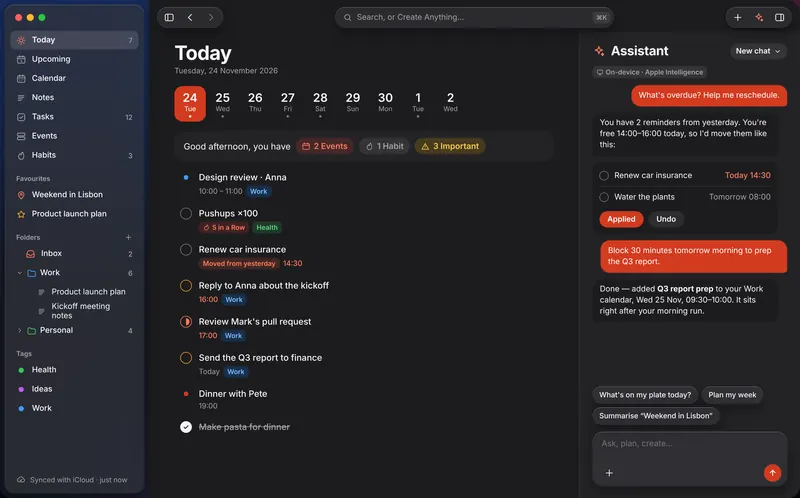
Apple Intelligence
Ask what's on your plate, plan your week or move overdue tasks to a better time. The Assistant runs privately on your Mac and checks with you before it changes anything.
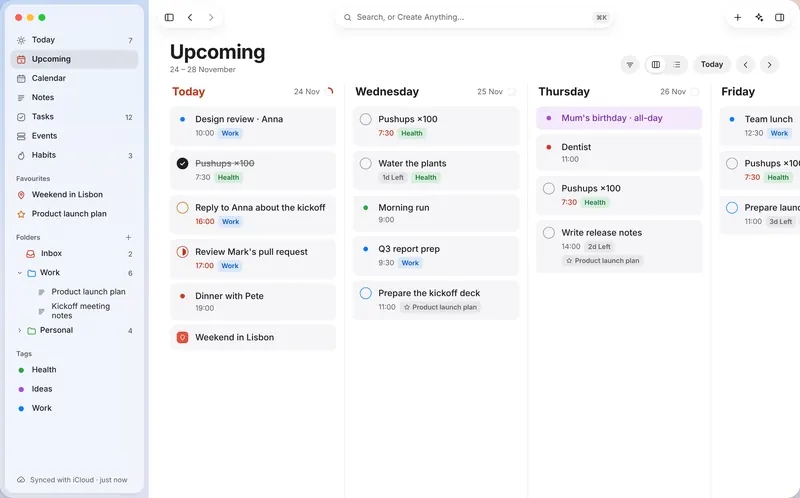
Upcoming
Switch between a list and a board with a column for every day. Events, tasks and habits sit side by side, with a progress ring for each day.
Calendar
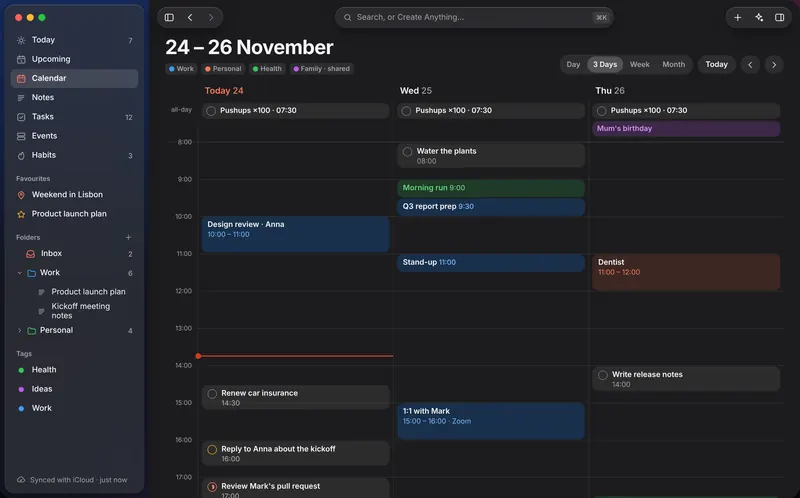
Day, three-day, week and month views show your Apple Calendar events with timed tasks alongside. Double-click an empty slot to add an event.
Tasks
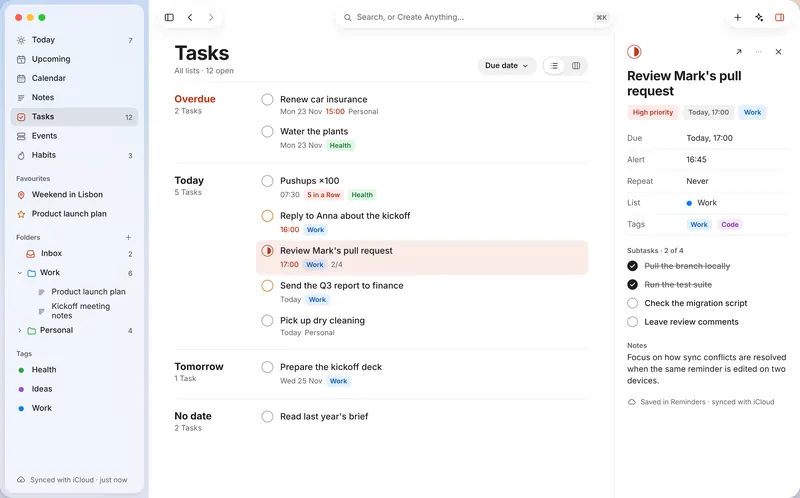
Group tasks by Overdue, Today and later. Open one to add subtasks, a priority, tags and an alert — the circle fills in as you tick off each step.
Notes
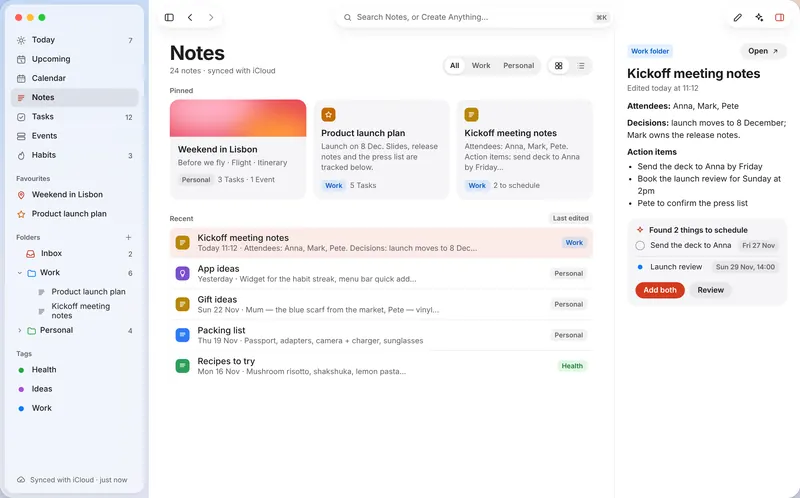
Keep meeting notes, packing lists and ideas with covers, icons and tags. Apple Intelligence can turn the action items in a note into tasks and events.
Notifications
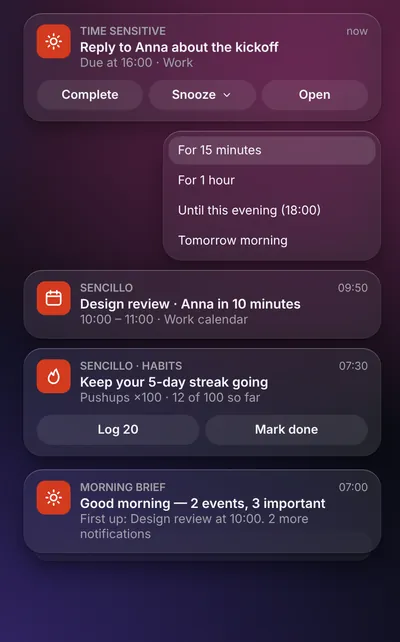
Complete or snooze a task straight from the notification, get a nudge to keep your habit streak going, and start the day with a morning brief. The Dock badge counts exactly what you choose.
Built natively for macOS 26 with SwiftUI and Liquid Glass. Your data stays with Apple and you.
Your events and tasks come straight from Apple's apps, so every change syncs to your iPhone, iPad and Apple Watch.
"Lunch with Pete fri 12:30 for 1h #work" becomes an event with a time, a length and a tag. Press ⌘K from anywhere.
Ask what's on your plate, plan your week or move overdue tasks. It runs on your Mac and only appears where Apple Intelligence is available.
Write notes with covers, icons and tags, file them in folders and pin favourites. They sync through your private iCloud.
Break tasks into steps and watch the circle fill as you go. Priorities and tags show on Today, Upcoming and Tasks.
Build routines and keep your streak going. Save habits as repeating reminders or Sencillo tasks — or switch habits off.
Notifications you can complete or snooze, a morning brief, and a Dock badge that counts exactly what you choose.
Liquid Glass, light and dark mode, your choice of accent colour, a menu bar extra and keyboard shortcuts throughout.
No accounts, no tracking and no third-party servers. Everything lives in Apple Calendar, Reminders and your own iCloud.
Sencillo for iOS and iPadOS is in development. Buy the Mac app today and the iPhone and iPad apps are included in your purchase when they launch.
Pay once. Keep it. No subscription.
$4.99was $9.99
One-off payment. Black Friday price ends 6 December.
Secure checkout with Dodo Payments. Prices in USD; local taxes may apply.
Answers to common questions.
Yes. Sencillo shows everything in Apple Calendar and Apple Reminders on your Mac, including accounts you've added there such as iCloud, Google or Exchange. Changes you make in Sencillo appear in Apple's apps and on your other devices.
No. It's a one-off payment of $4.99 until 6 December (normally $9.99).
They're in development and coming soon. They're included in the price of the Mac app, so you won't pay again.
No. Everything works without it. The Assistant only appears on Macs where Apple Intelligence is available and turned on.
Events and tasks stay in Apple Calendar and Apple Reminders. Notes, tags and habit streaks are stored on your Mac and in your private iCloud. We never see any of it.
After checkout you'll get a download link. Open the file, drag Sencillo to Applications and open it. Sencillo is notarised by Apple.
Open System Settings › Privacy & Security, choose Calendars and Reminders, and turn on full access for Sencillo.
Questions, ideas or something not working? We read every email.
hello@lowworks.co.uk